
The contact center for every channel.
Calls, SMS, WhatsApp, email, website chat and social on one desk, with the customer's case open beside each one.
What UCX adds to Voice360
Both editions run on the same platform. UCX includes everything in Voice360, plus the tools for teams that handle customers all day.
Shared customer inbox
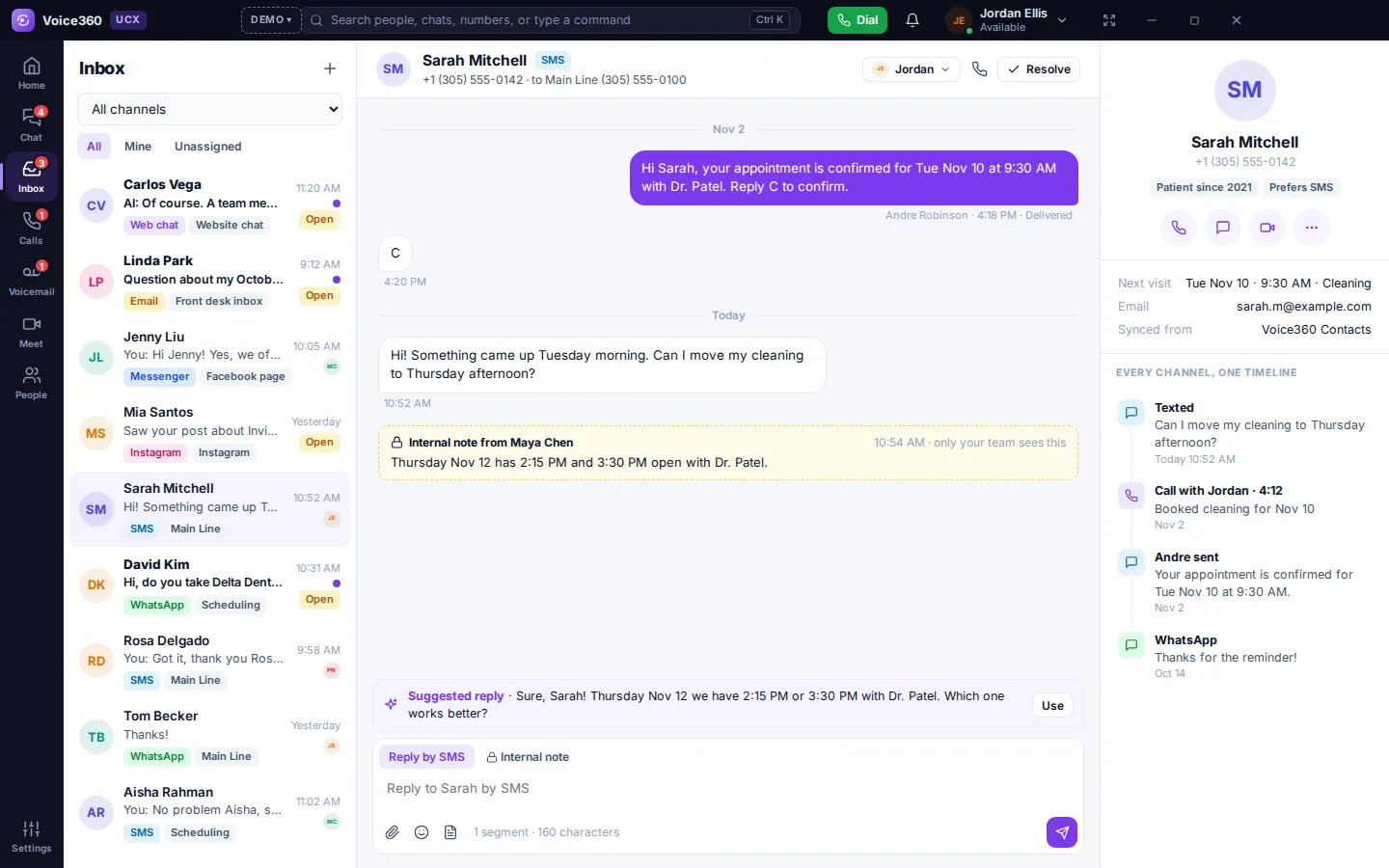
Every customer message from every channel lands in one list, with the customer's full history beside it.
- Assign a conversation to a person or to a team inbox such as Front Desk or Billing
- Reply from the same number, WhatsApp line or mailbox the customer wrote to
- Saved replies, internal notes only your team sees, and AI-suggested answers
- Website chat starts with your AI agent and hands over to a person when needed
- Email comes from a shared Microsoft 365 mailbox, threaded like a conversation
- A one-question customer rating goes out when a conversation is resolved
Case management
Use the cases built into UCX, or connect Salesforce, Zendesk, ServiceNow or Dynamics 365. Either way, the case sits beside every call and message, and UCX files the interaction on it.
One system of record
Pick the system your cases live in. UCX reads open cases from it and writes new cases and every interaction back to it.
Other systems as links
Connected more than one? The others show on the contact as links, such as “2 open Zendesk tickets”, and open in that system.
Your field values
UCX maps its statuses and categories to the values your team already uses, so nothing in your CRM has to be renamed.
What happens on a call
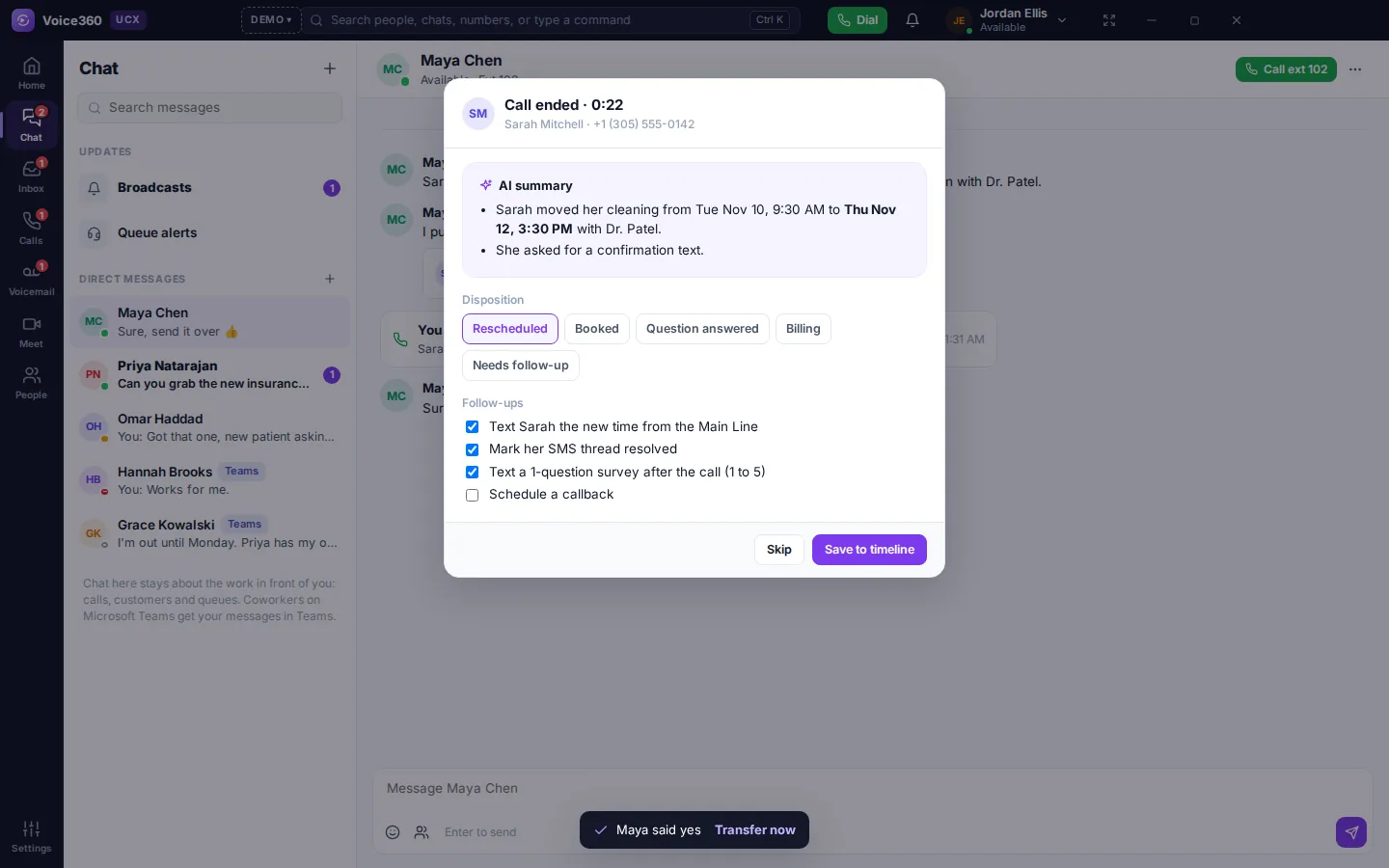
The lookup, the case and the notes are handled by UCX. The agent never searches for a record or copies notes between windows.
- 01
A customer reaches out
A call, text, WhatsApp, email or website chat comes in on any of your numbers or inboxes.
+1 (305) 555-0142 calling - 02
UCX finds who it is
The number or email is looked up in your case system, and the matching contact is found.
→ Sarah Mitchell - 03
Their cases open beside the call
Open cases appear next to the conversation before the agent says hello. The latest one is already selected.
CASE-10482 · Waiting on customer - 04
The agent works the case
Update the status, add a note or open a new case without leaving the call.
Status → In progress - 05
Everything is written back
At wrap-up, UCX saves the call to the case: duration, recording link, AI summary and outcome.
Saved to Salesforce ✓
How the connectors map your fields
Each system names records and statuses differently. UCX translates them, so agents see the same terms whichever system is connected.
Status mapping is set per account, because every team customizes its statuses. Salesforce has no standard “waiting” status, so UCX uses the one your org already has.
Contact center tools
Supervisors run queues and agents from the same app the agents use. There is no second system to sign in to.
Skills-based routing
Calls and conversations go to the agent with the right skills, language and free capacity.
Agent states and wrap-up
Available, busy, on break and after-call work, each with a reason supervisors can report on.
Supervisor wallboards
Live queues, callers waiting, service level and every agent's state on one screen.
Outbound dialers
Preview and progressive dialing through call lists, with each result logged to the contact.
Workforce management
Forecast call volume, build schedules and compare adherence with what actually happened.
Case management
Every call and message is filed on a case, in UCX or in the case system you already run.
Team chat tied to calls
Chat in UCX is for working calls and customers. There are no channels or file sharing; keep using Teams or Slack for that.
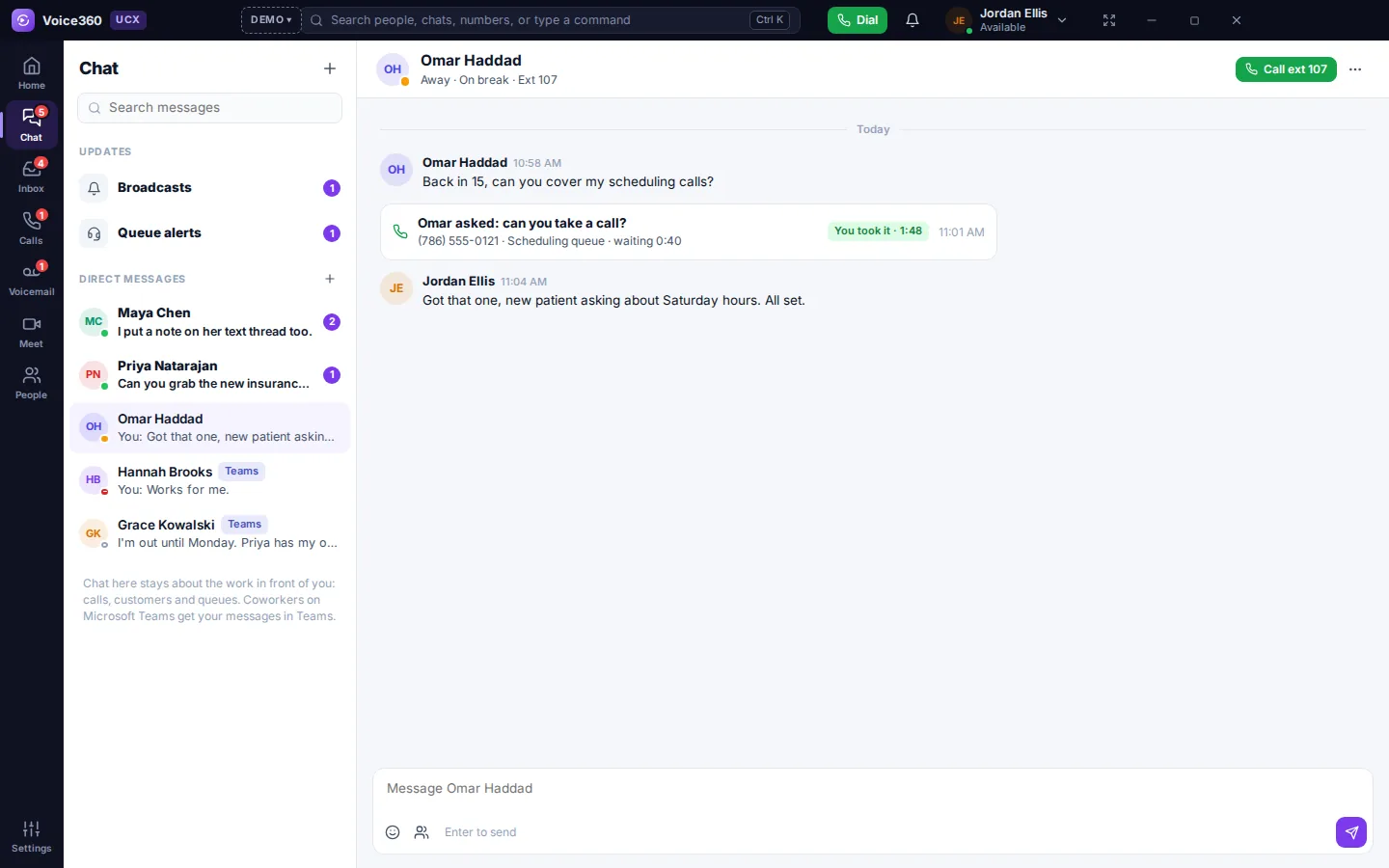
- Direct messages with live presence on every name
- “Can you take this call?” cards with accept and transfer
- Links to a customer's thread or case, so nobody asks twice
- Supervisor broadcasts and alerts when a queue backs up
Microsoft Teams integration
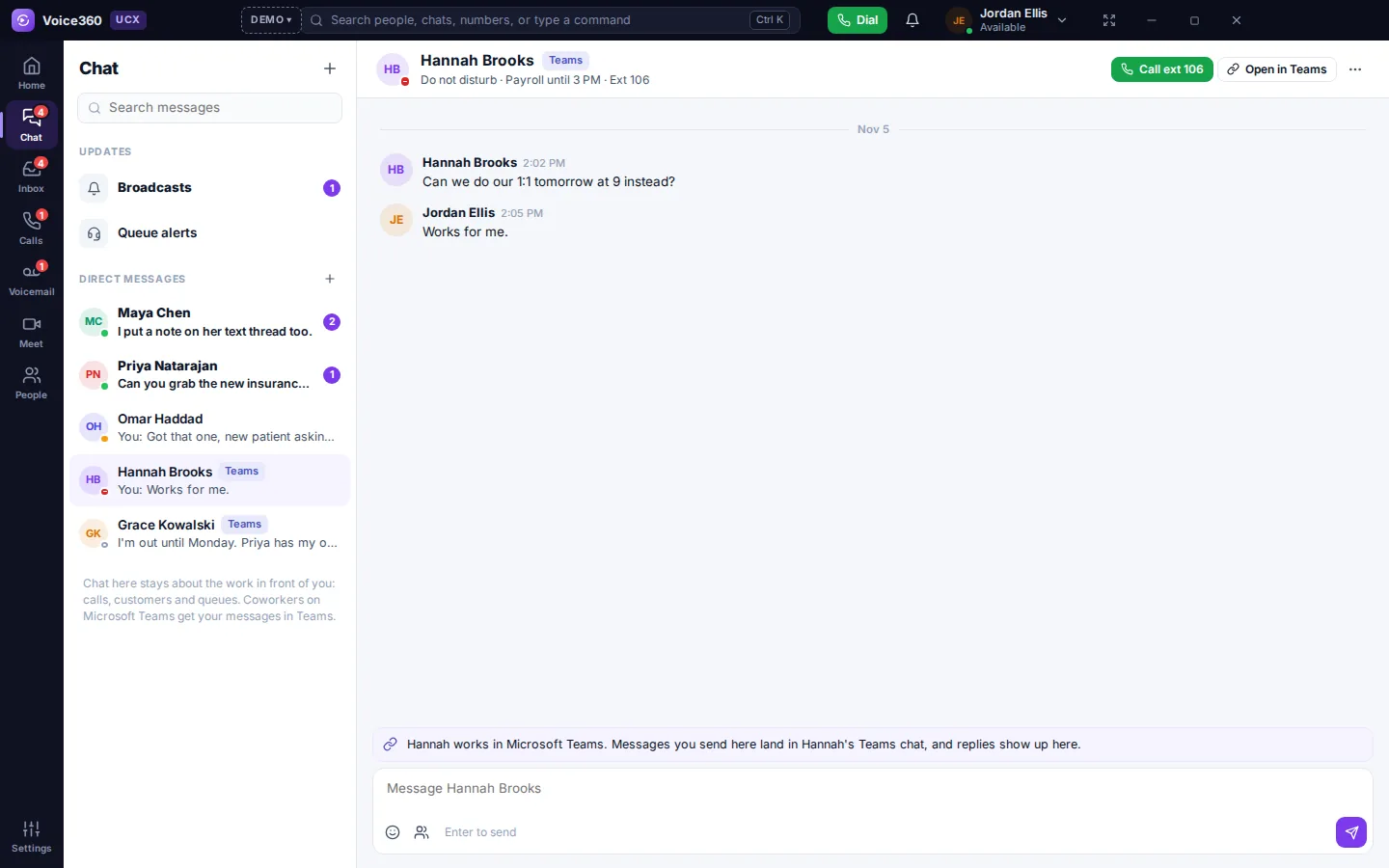
UCX connects to your Microsoft 365 tenant, so coworkers who work in Teams stay reachable from UCX.
- Presence syncs both ways between UCX and Teams
- Messages to Teams users are delivered in Teams
- Teams and Zoom meetings on your calendar show a Join button
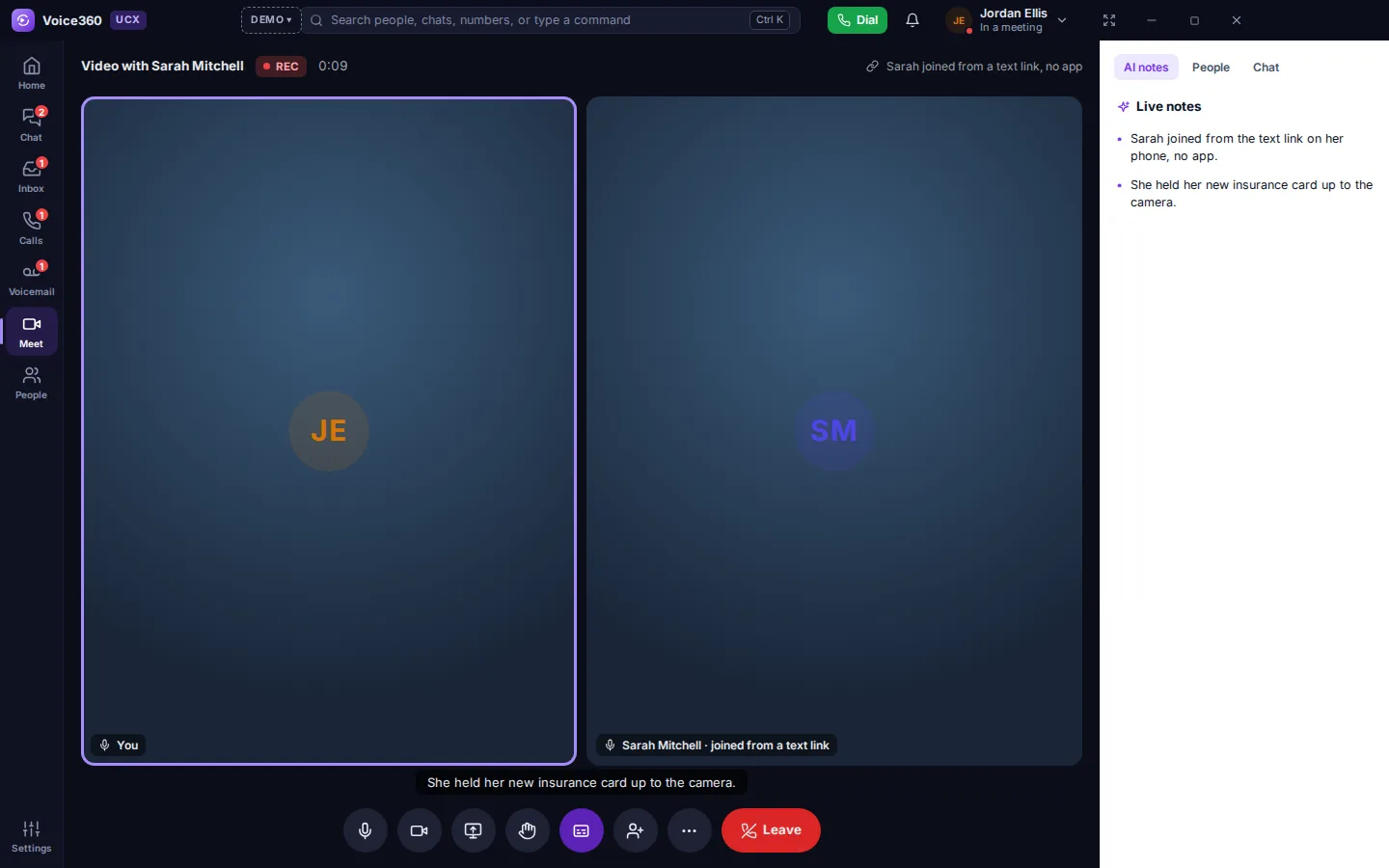
Video for customers and bridges
During a call, text the customer a link and they join on video from their phone's browser, with nothing to install. Your Voice360 dial-in bridges can run with video too.
How UCX fits your Voice360 account
Nothing is re-provisioned.
UCX is switched on for your existing account. Numbers, extensions, call flows and AI agents carry over, and callers notice nothing.
Windows, Mac or a browser tab.
Agents install the app or open it in the browser. Desk phones and the Voice360 mobile app keep working alongside it.
Managed in the Voice360 portal.
Users, queues, numbers and billing are managed in the same portal for both editions.